Why We Built Legate, and How We Use It to Run Four X Accounts
How we use Legate every day to research, draft, review and publish across four X accounts from one board.
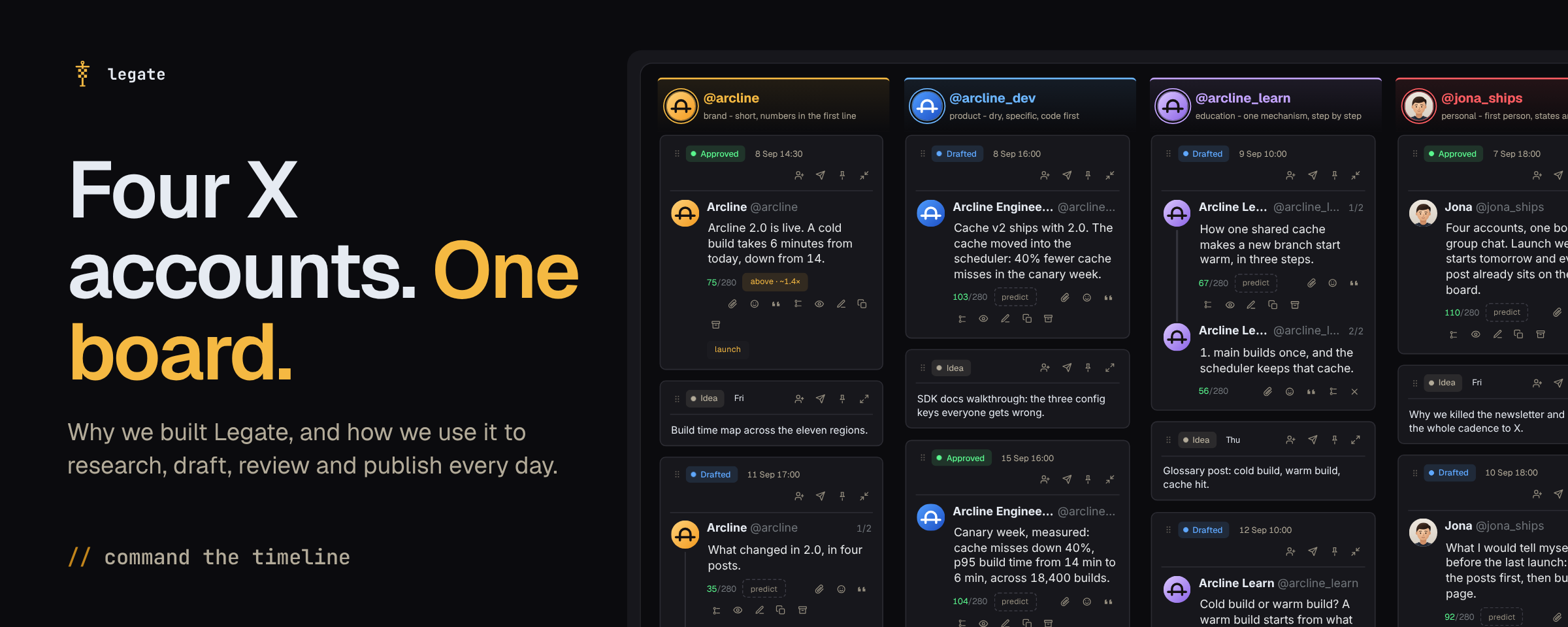
We run four X accounts every week: a main brand account, a product account, an education account and a personal account. Before we built Legate, launching a campaign across all four meant a Google Doc for drafts, three browser tabs, a chat window for AI rewrites and a group chat holding it all together.
Three things went wrong every week:
- Every account started sounding like whoever was typing that day, with the same openers and habits turning up on the brand account and the personal account alike.
- Every morning started by pasting the same product notes, campaign brief and sample posts into a fresh chat window so the AI wouldn't invent features or write generic marketing copy.
- Sign-offs happened in Telegram or WhatsApp, someone fixed a typo in one tab and pasted the older version into another, and a slipped launch meant changing a dozen scheduled dates by hand.
We built Legate to run that entire week in one place. Here is how we use it every day to research, draft, review and publish across our own accounts.
1. Teaching the AI our business and each account's voice
When AI drafts a flat post, it is usually missing two things: the facts about the product and how that specific account talks.
In our Legate space, everything the AI reads lives on the Context page:
- Team and campaign context: Our product facts, positioning and campaign briefs sit here once, so we never paste background notes into a prompt again.
- One voice guide per account: When we connect an account, Legate pulls its best posts and builds a voice guide from them - its sentence length, how it opens a post, the vocabulary it uses and the phrases it never says.
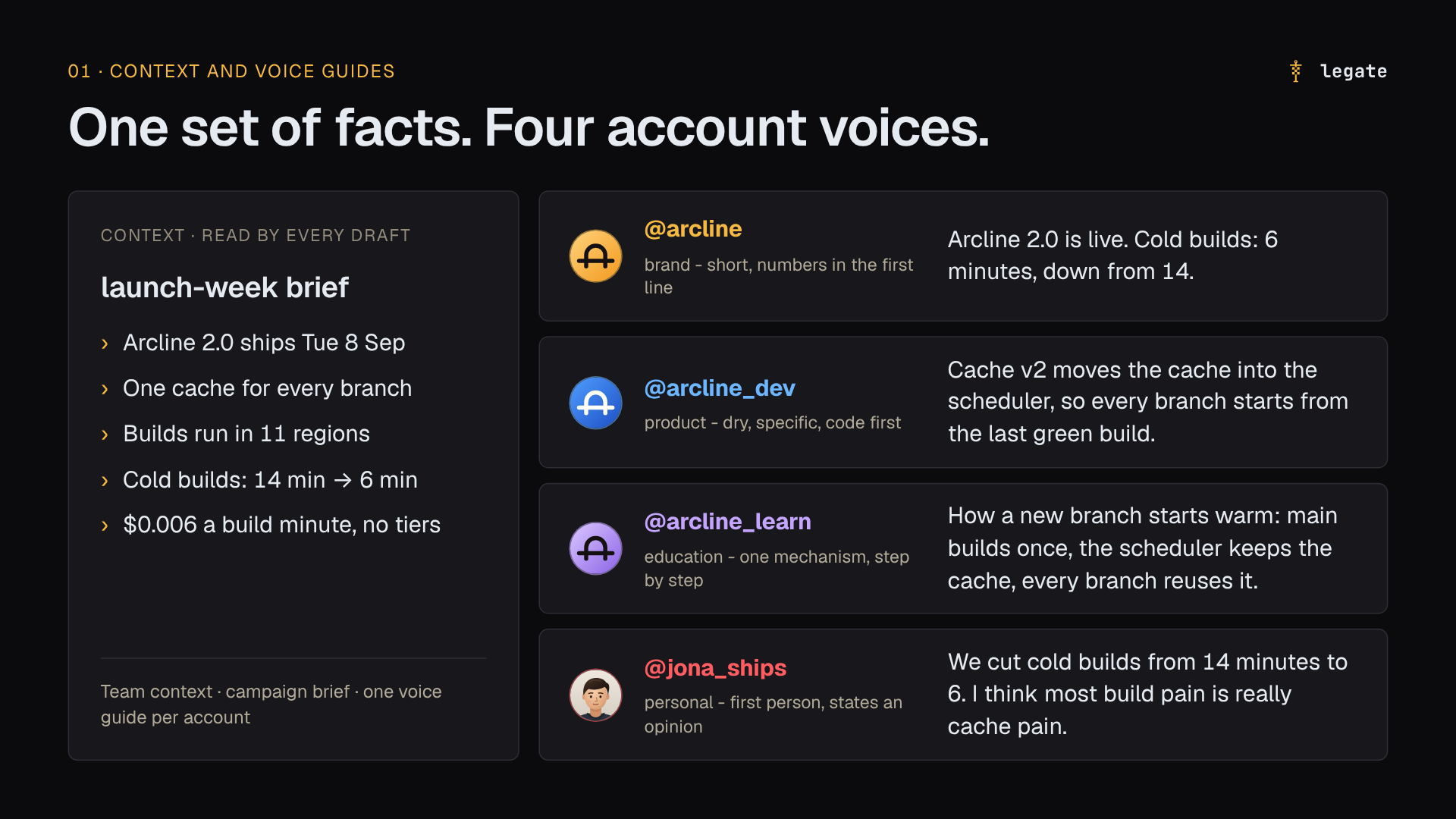
Our brand account writes short announcements with the numbers in the first line. Our education account walks through a mechanism step by step. Our personal account writes in the first person and states an opinion. Because each column on the board is tied to its own voice guide, a draft generated or edited in that column stays in that account's style, and the Context page shows the exact files sent with every prompt.
2. Finding what works before we write
Raw numbers on X mislead when you run accounts of different sizes. Sixty likes is a slow afternoon on a large brand account and the best post of the month on a smaller product account.
We start our Monday planning in Research, where we track the creators and companies in our market. Legate scores every post against that account's own median - such as 1.8x this account's usual - so we can spot when a smaller account hits a format that worked, rather than looking only at high view counts from huge accounts.
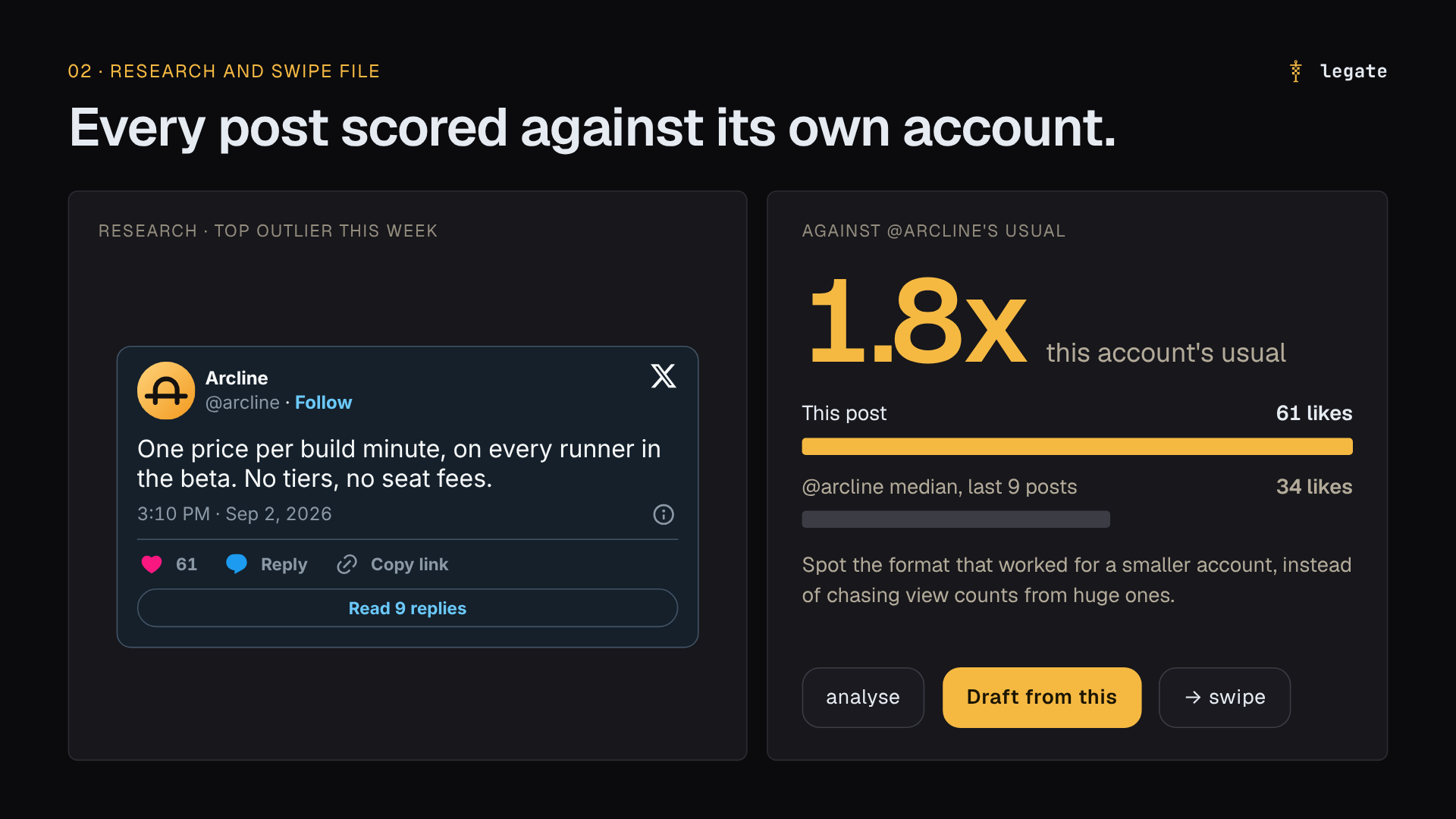
When we find an outlier post worth learning from, we save it to our swipe file. Clicking Draft from this takes the structural idea of that post and drafts a version for our own campaign, using our product facts and our account's voice guide.
3. Putting the whole campaign on one board
Each campaign in Legate is a board with one column per X account, plus a notes column for the launch checklist. Opening a launch board shows what every account is saying and in what order, from first idea to published post.
We draft in two ways depending on the task:
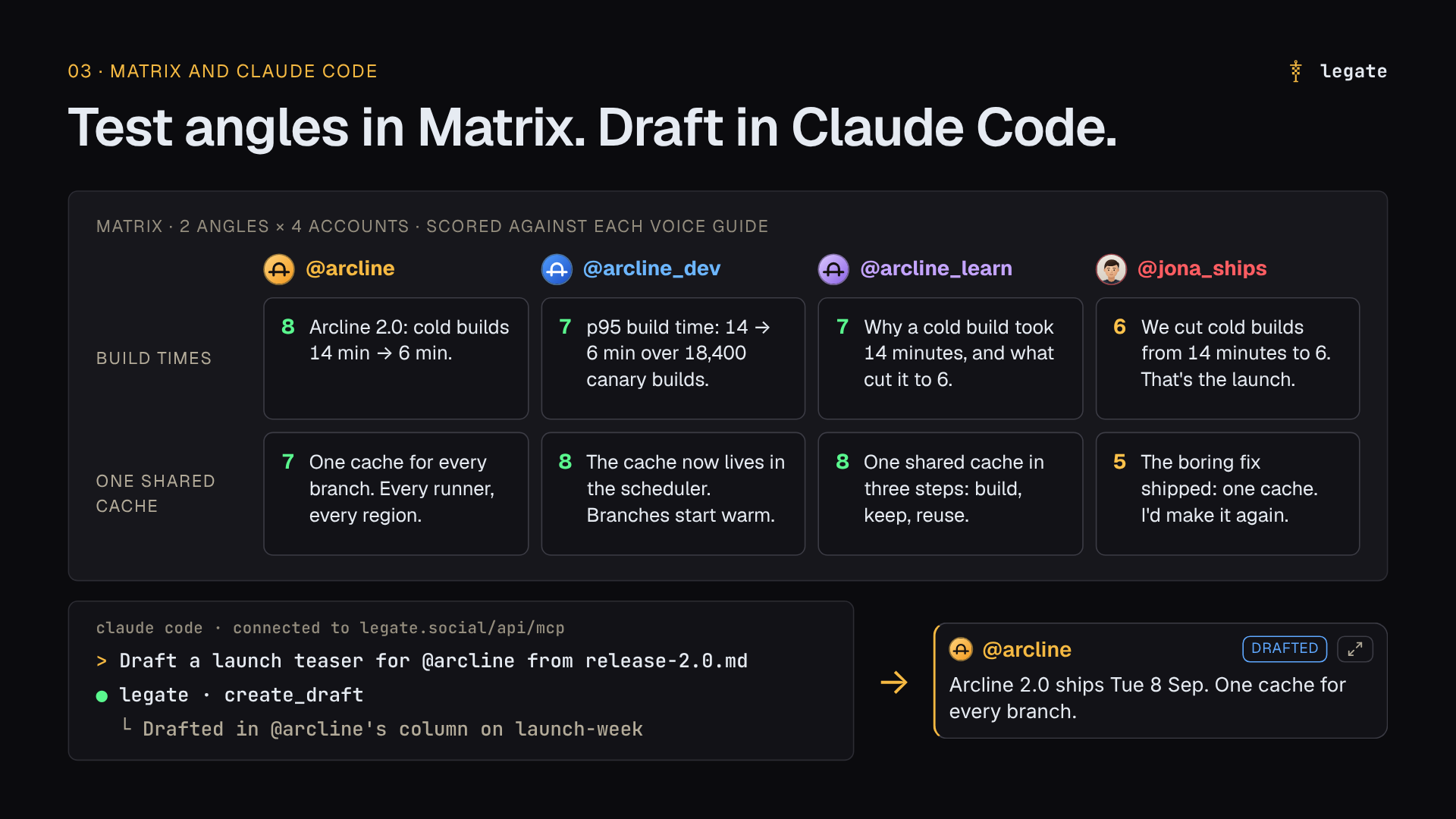
- Testing angles in Matrix: When we have a launch brief and want to explore directions, we open Matrix, enter up to four angles, and let Legate draft each angle for every account on the board, scored against each account's voice guide. We keep the strongest cards and edit them inline.
- Drafting from Claude Code: Much of our deep product research lives in a local repository. We connect Claude Code to Legate over MCP (
legate.social/api/mcp), write or refine a post in the terminal while reading the source docs, and tell Claude Code to drop the draft straight into the right account's column on the launch board - or into the scratchpad side panel if it is a standalone idea.
When we want to look at the same cards differently, we switch the board to Kanban (grouped by status), Timeline, Calendar, or Canvas for mapping out a larger campaign.
4. Seeing the post as X will, and getting sign-off without DMs
A paragraph that looks tidy on a laptop monitor can still turn into a wall of text on a phone. And X folds every long post behind Show more at the same point in the text on every screen, which means the hook has to do its job before that cut.
Before we ask anyone to review a post, we check it in two places on the card:
- Phone preview: Shows the draft at real phone widths (from an iPhone SE to a Pixel 9, in dark or light mode) with X's
Show morefold marked in place. - Prediction: Gives a pre-publish read against the account's past posts and flags a weak opening line while it is still a draft.
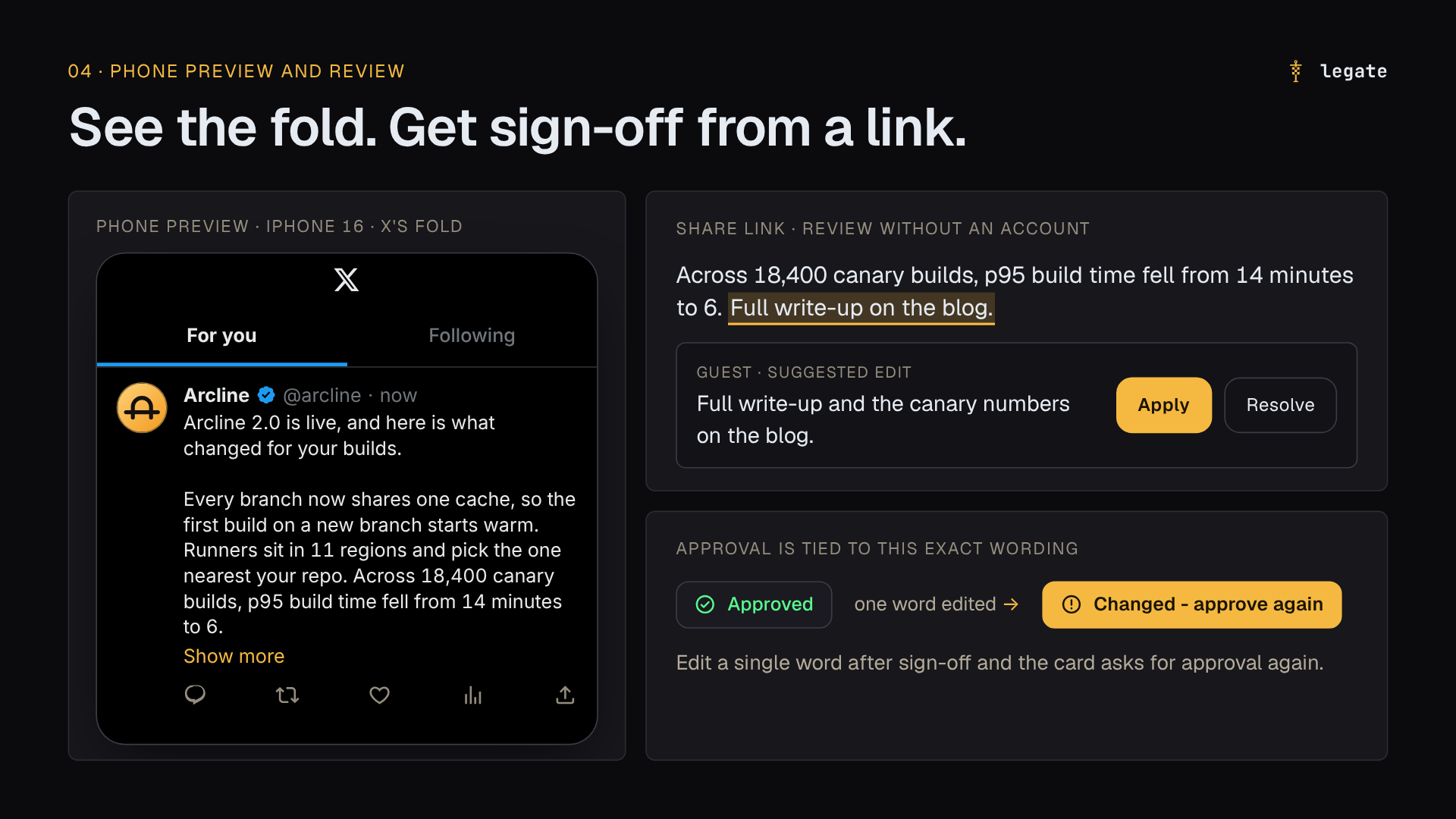
Once a card is ready, we click Request review. Teammates can highlight any phrase on the post or article and suggest replacement text that the writer can apply in one click.
When we need sign-off from a founder who is away from their desk or an outside partner who does not use Legate, we send a share link. They open the link on their phone, read the post as it will appear on X, and leave a comment or approve it without needing an account. Approvals are locked to that exact revision: if anyone edits a single word after sign-off, the card's approval resets and asks for sign-off again.
5. Publishing, launch dates that shift together, and the week after
Nothing goes live on X from Legate until an approver signs off on it. Even our MCP server and REST API can only create draft cards; they can never publish.
For product launches, we set a campaign launch date and plan posts relative to it (Day -1, Day 0, Day +1). When a release date moves, we change the campaign's launch date once and every scheduled card on the board moves with it.
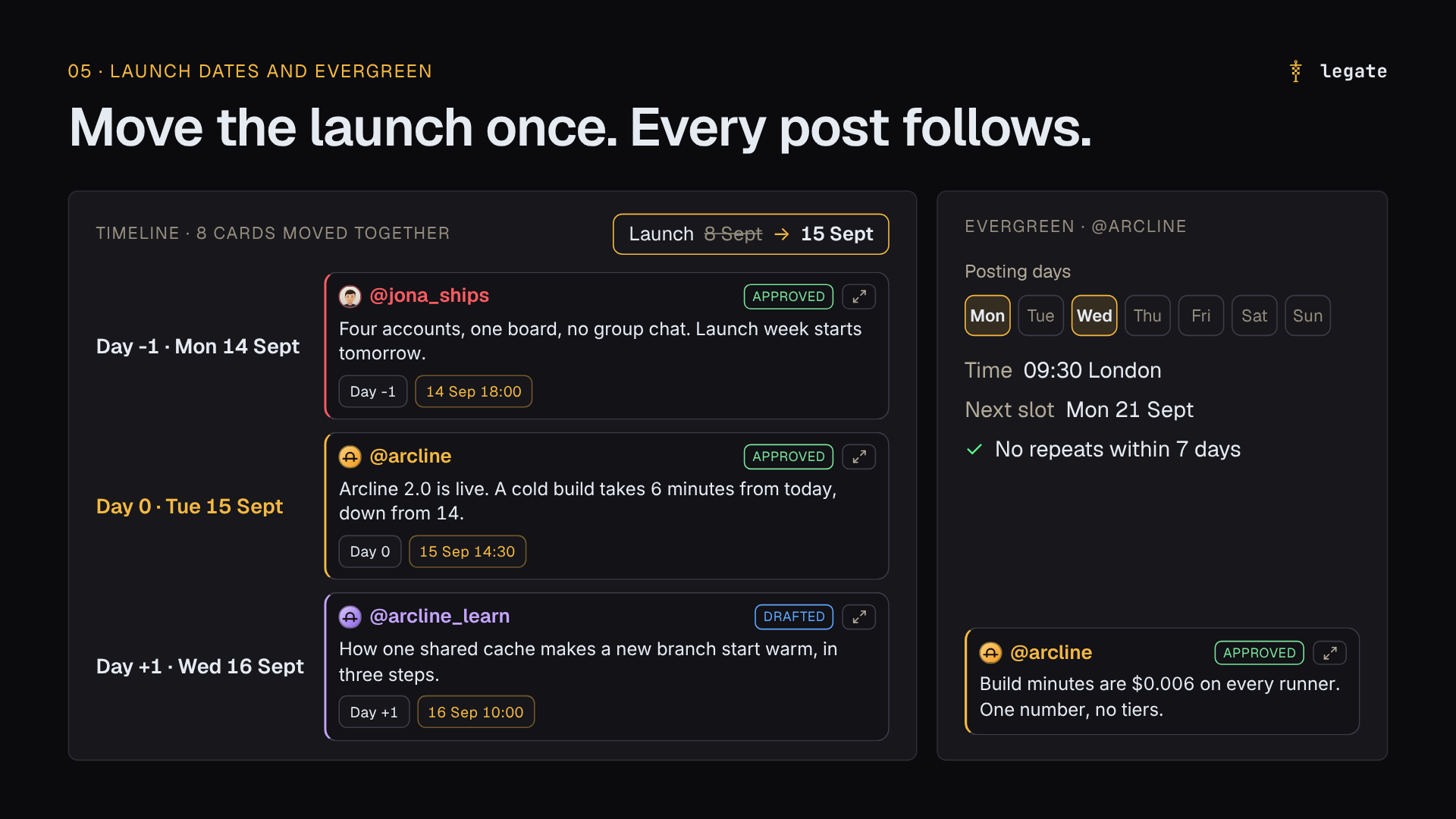
The week after a launch is when new followers visit your profile. To keep an account from going silent once the launch thread is out, we use Evergreen slots, which re-run approved evergreen posts on each account's recurring schedule while never repeating the same post within seven days.
After posts go out, Results tracks their views and likes over time against that account's own middle post at the same age, so we can see which angles beat the account's baseline.
Start with the accounts you already run
You can set up a space at legate.social in a few minutes:
- Free: 2 X accounts using your own AI key. Includes the board, Context, voice guides, Review share links, and drafting from Claude Code or any MCP client.
- Pro ($19/month): 4 X accounts, direct publishing and scheduling to X, Research, Prediction, Evergreen slots, and 4,500 X units + 5,000 AI units included.
- Team ($49/month): 10 X accounts, unlimited seats, and 14,000 X units + 20,000 AI units included.
Sign in with Google at legate.social, add your accounts, and paste ten of each account's best posts to build your first voice guides.